
The Java Joint: Designing a ritual, not just an order

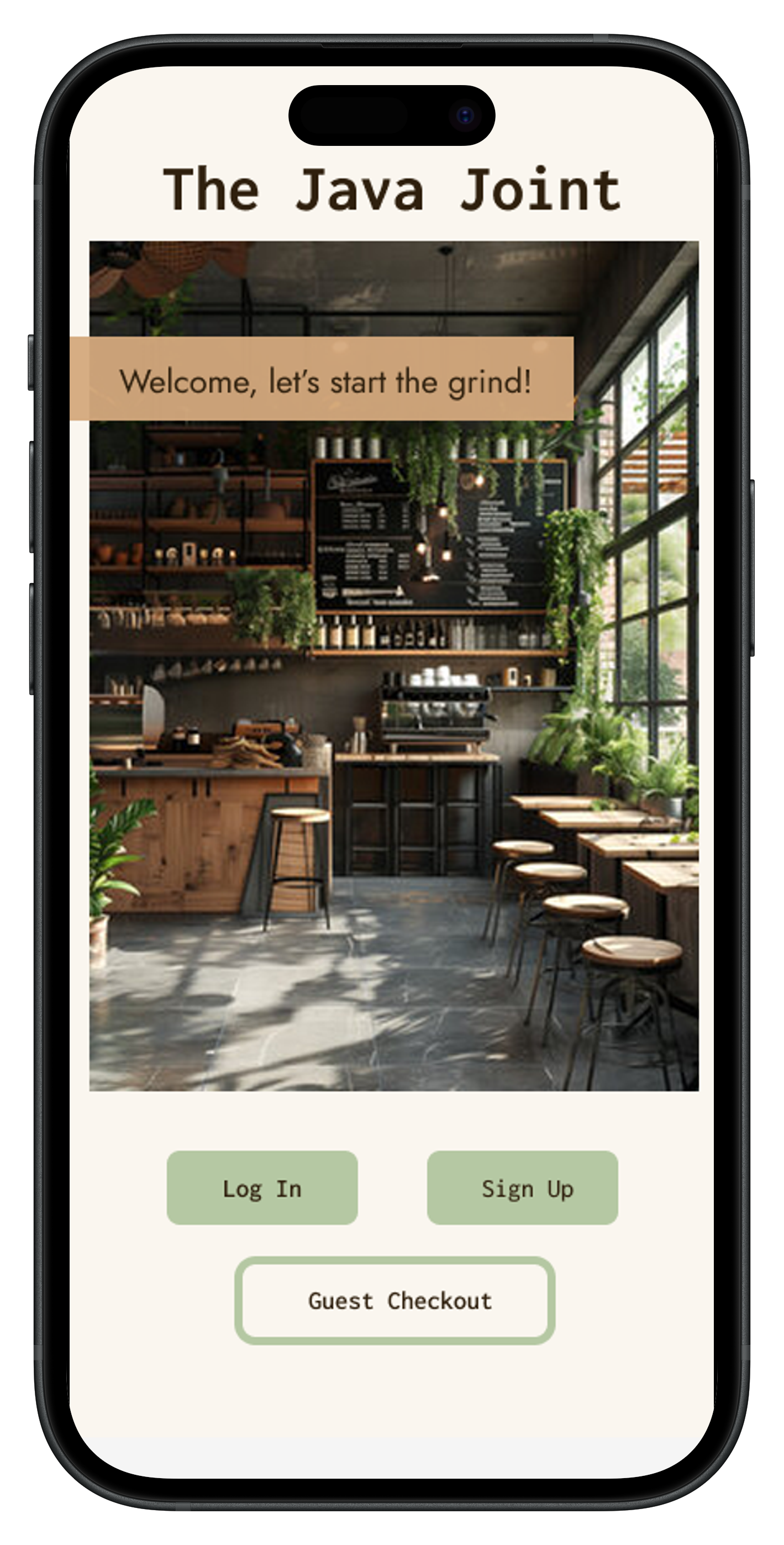
Mobile app login screen for The Java Joint featuring a cozy coffee shop interior with wooden furniture, plants, and a menu board, and buttons for Log In, Sign Up, and Guest Checkout.

Coffee ordering apps often feel like vending machines. A mobile app design for The Java Joint that makes ordering feel as warm and personal as the shop itself.

Summary & Stats

Timeline
6 Weeks
Role
Project Manager, UX Researcher & Designer
Tools
Google Workspace, Zoom, Miro, Canva, Figma

Project Background

The Java Joint is a fictitious independent coffee shop whose digital presence needed to match the warmth of the in person experience. Most coffee ordering apps optimise for speed at the expense of personality, so the goal here was to design something that felt intentional for a brand-conscious, regular customer. The primary design objectives were: streamline the ordering flow to reduce friction, build a visual identity that reflects the shop’s warmth and character, support guest checkout for first-time users, and make navigation across the app intuitive without prior learning. The target user is a regular coffee drinker aged 25–40, environmentally conscious, comfortable with mobile ordering, and loyal to independent cafes over chains.

User Research

Competitive Analysis

The Java Joint operates in the premium “third-wave” coffee space alongside brands such as:
  • Blue Bottle: Minimalist, premium, sustainability focused
  • Stumptown: Direct trade pioneer that touts a bold and unique brand identity
  • Intelligentsia: High prestige, appealing to coffee experts
  • La Colombe: Broader user appeal with modern RTD innovation

These brands serve educated, high income, urban customers who value specialty coffee, sustainability, and quality.

The Java Joint needed a digital experience that matched the high standards of larger comparable coffee companies, without adding complexity.

Target Users

Demographics

  • Urban professionals
  • High income, highly educated
  • Frequent coffee buyers

Psychographics

  • Value sustainability and traceability
  • Willing to pay for premium quality
  • Expect efficiency in daily routines
Non-coffee drinkers were screened out.

Usability Testing

Objectives

Identify features that make mobile ordering on the Blue Bottle Coffee app:
  • Efficient vs. inefficient
  • Easy vs. confusing
  • Emotionally attractive

Methods

6 participants (4 male, 3 female) were recruited and screened through my social network (LinkedIn, Instagram, friends/family) to complete moderated remote usability testing consisting of real time moderator observation, participant think-aloud, and moderator follow up probing for more context on user decisionmaking.

I chose to utilize moderated remote usability testing over a Zoom meeting, with the participant's face and device screen recorded, as this reflected a more realistic usage condition and was logistically easier with limited resources. Moderating the study allowed me to observe user facial expressions and thought processes in real time, with participant think aloud clarifying decisions. A smaller sample size was also appropriate for limited resources and the formative research stage for initial product design, where I wanted to focus on identifying user issues rather than producing statistics.
Blue Bottle Coffee app icon showing a blue bottle silhouette and app description stating Connect to delicious coffee, only for iPhone, free.

Tasks

Participants were asked to download the Blue Bottle Coffee app on either an IOS or Android phone and:

  1. Create an account
  2. Find the closest cafe
  3. Add, remove, and modify specified items in an order
  4. Proceed to checkout
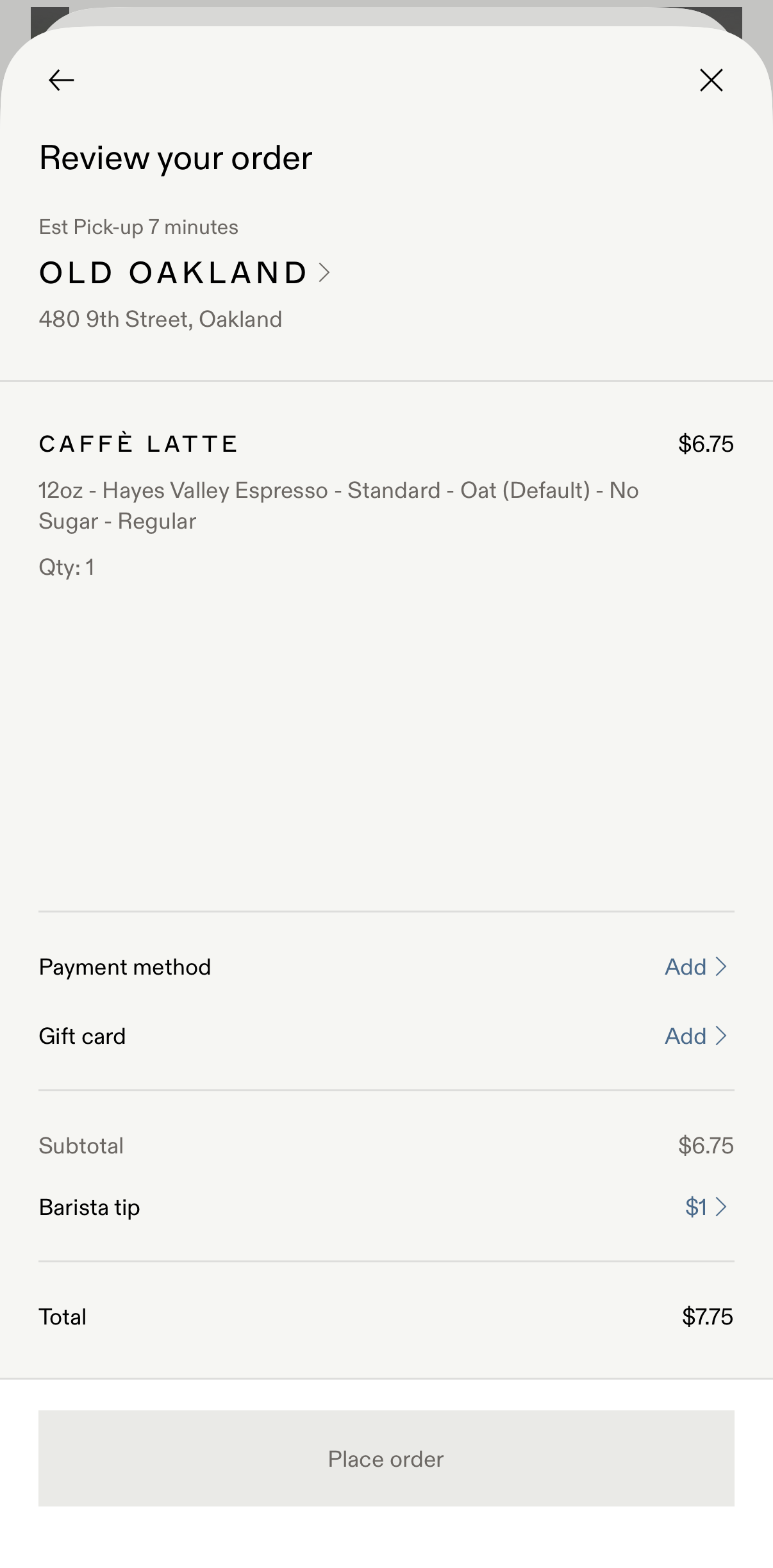
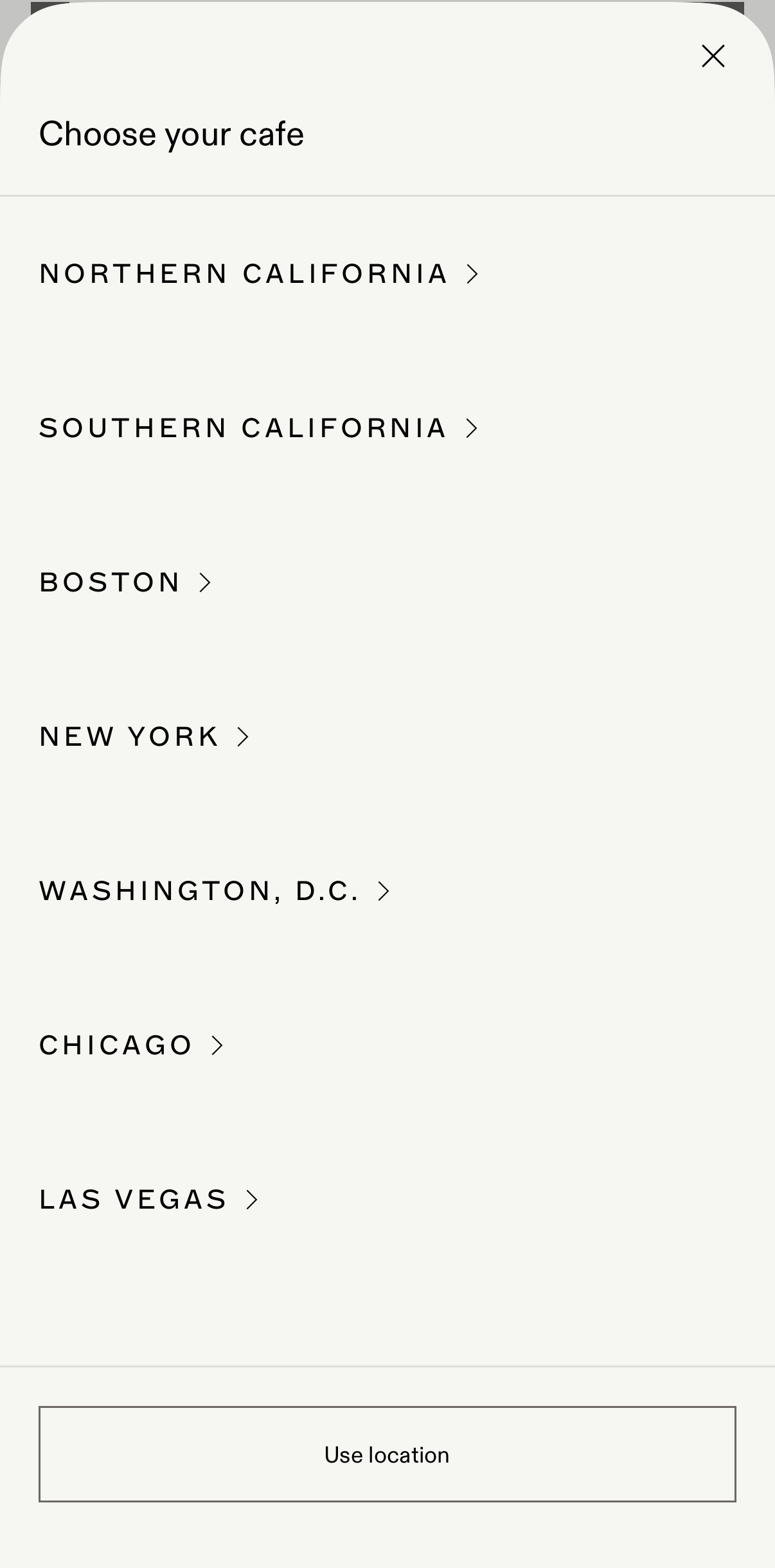
Outdoor seating with two small tables and chairs in front of Old Oakland cafe with large windows and white architectural columns.Menu to choose a cafe location with options including Northern California, Southern California, Boston, New York, Washington D.C., Chicago, Las Vegas, and a button to use location.White cup of caffe latte with leaf-shaped latte art on a gray surface.Mobile order review screen showing a 12oz caffè latte with oat milk, no sugar, priced at $6.75, from Old Oakland at 480 9th Street with estimated pick-up in 7 minutes, payment and gift card options to add, and a $1 barista tip for a total of $7.75.

Metrics

Primary

  • Task completion rate: this has major implications for business goals, as higher completion rates correlate with increased conversion (successful transactions) and lower cart abandonment
  • Error rate: high error rates could suggest user frustration and reduces trust in the brand, so reducing this number supports customer retention and brand credibility

Secondary

  • Time on task: since the app context is for people who want a quick and easy method for having their coffee ready when they need it, it was important to understand the time it took to complete the task flow
  • Self-reported satisfaction: user satisfaction was gleaned to understand how using the app made users feel

Research Synthesis

Summarization of research findings consisted of combining behavioral data with qualitative insight. I completed the following steps to ensure that my design decisions were evidence based:
  • Reviewed recordings + moderator notes
  • Identified recurring breakdowns and patterns
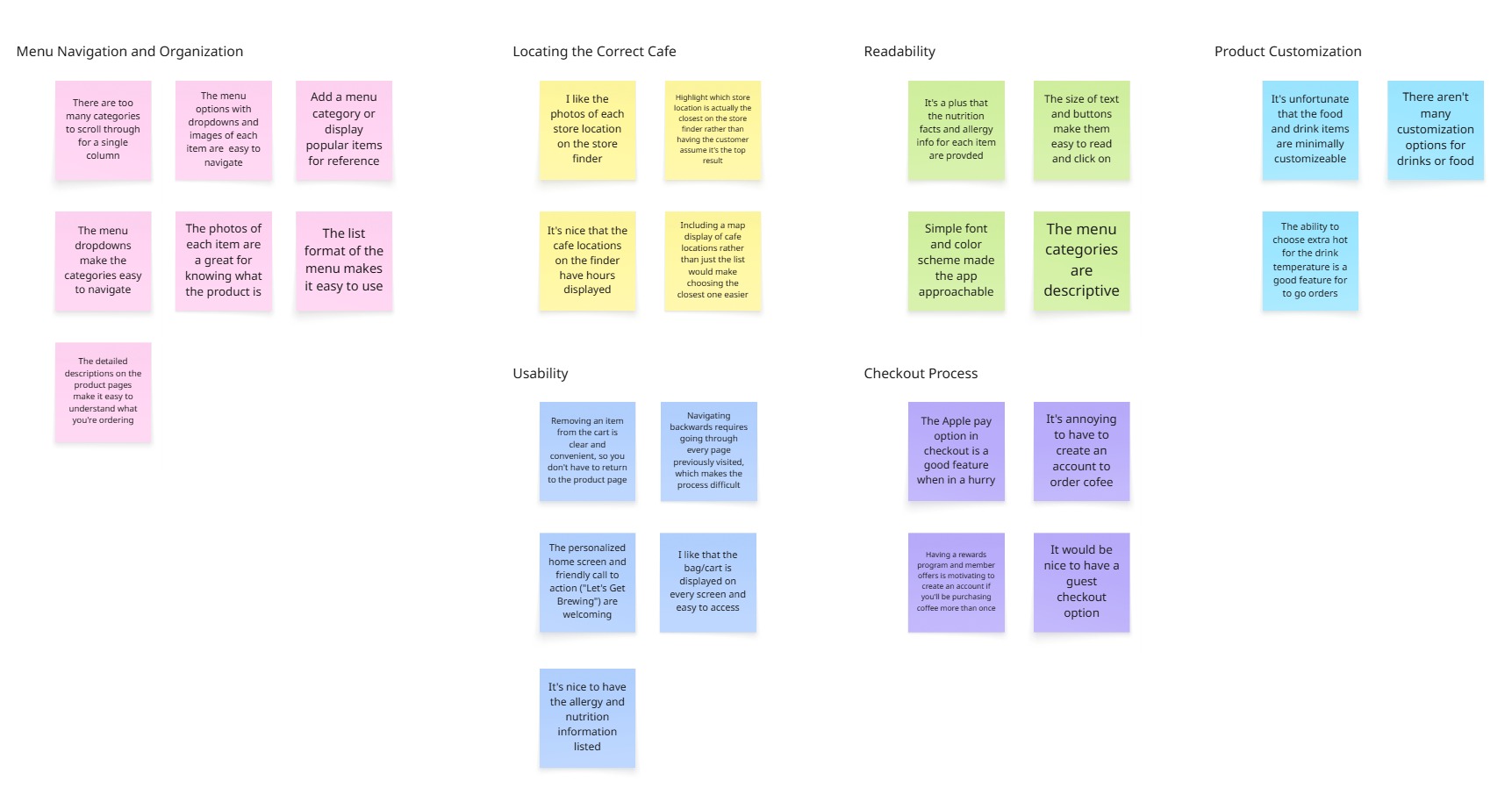
  • Grouped issues experienced and comments across participants using affinity mapping
  • Prioritized issues using a severity framework, with those with the highest frequency and severity taking priority
Affinity map with color-coded sticky notes categorizing user feedback on menu navigation, cafe location, readability, product customization, usability, and checkout process for a cafe app.

Key Findings

  • Account requirement was unclear: Users added items before realizing login was required
  • Store selection was unintuitive: Users struggled to confidently identify the closest location
  • Navigation friction was present: Users had difficulty moving backward between pages increased cognitive load and time on task

Design

Key Design Decisions

Decision 01

Warmth over efficiency

Chose imagery, typography, and colour that reflect the physical shop rather than a generic ordering interface,  making the app feel like an extension of the brand, not a utility.

Decision 02

Guest checkout as a first-class path

Research showed first time users were frusttrated when account creation wa required. Guest checkout was surfaced as a primary option on the login screen, not buried as a secondary link.

Decision 03

Navigation without prior learning

Persistent header navigation, clear back affordances, and a consistent page structure mean users never need to learn the app as they can rely on familiar mobile patterns throughout.

Based on findings, the app was redesigned to:
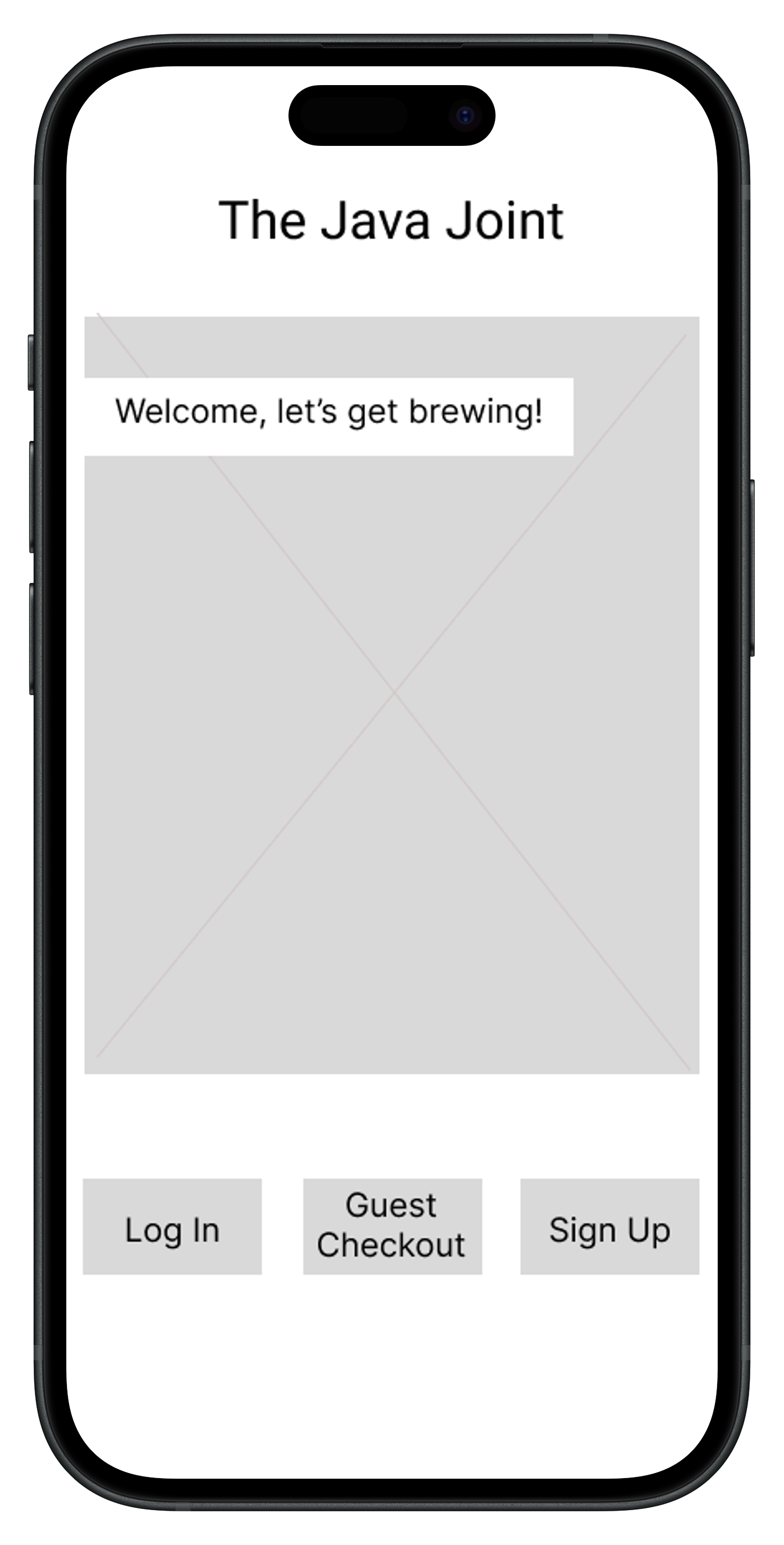
  • Introduce a welcome screen with clear entry points to increase visibility of system requirements (Login / Sign Up / Guest Checkout options).
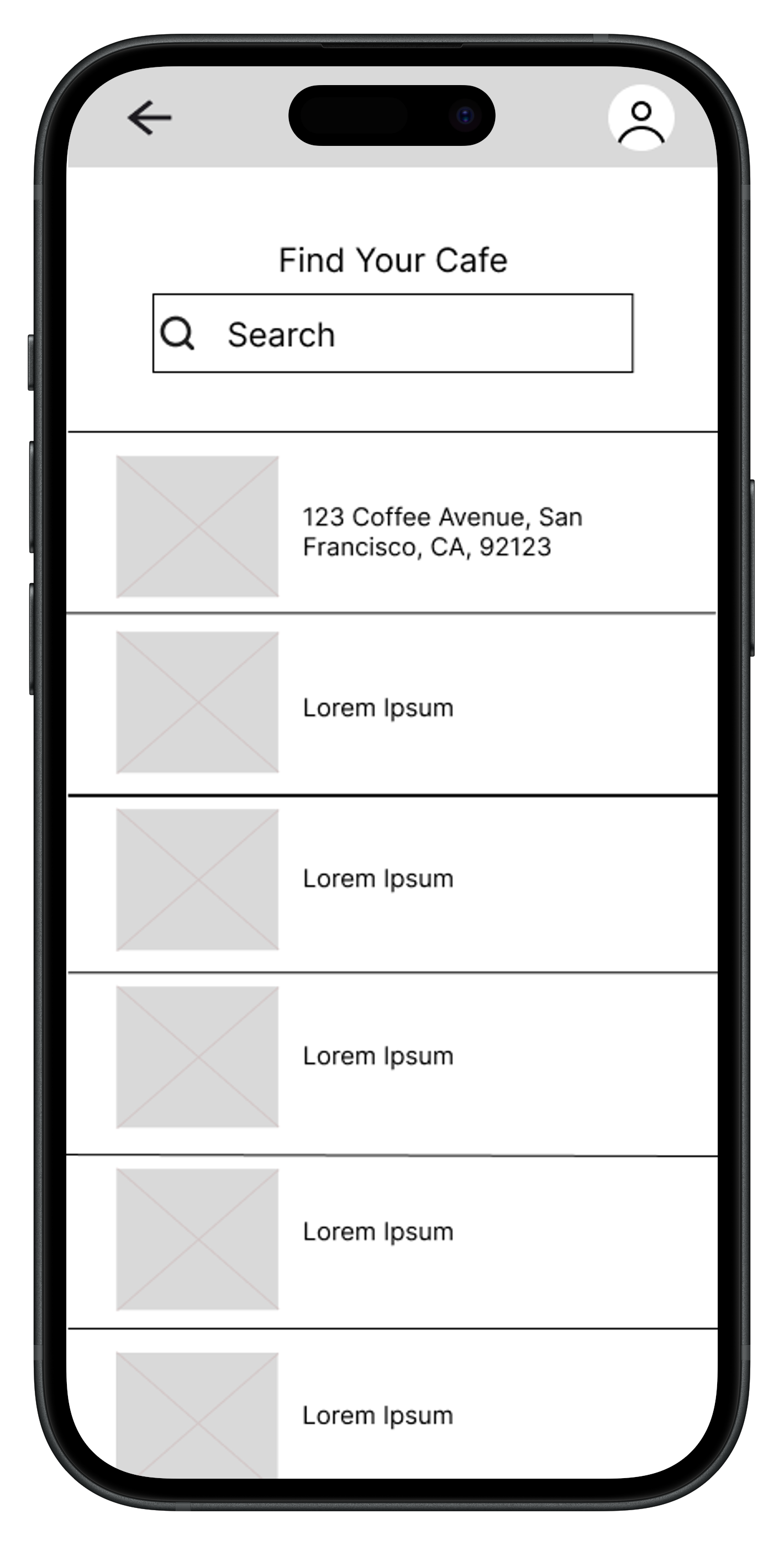
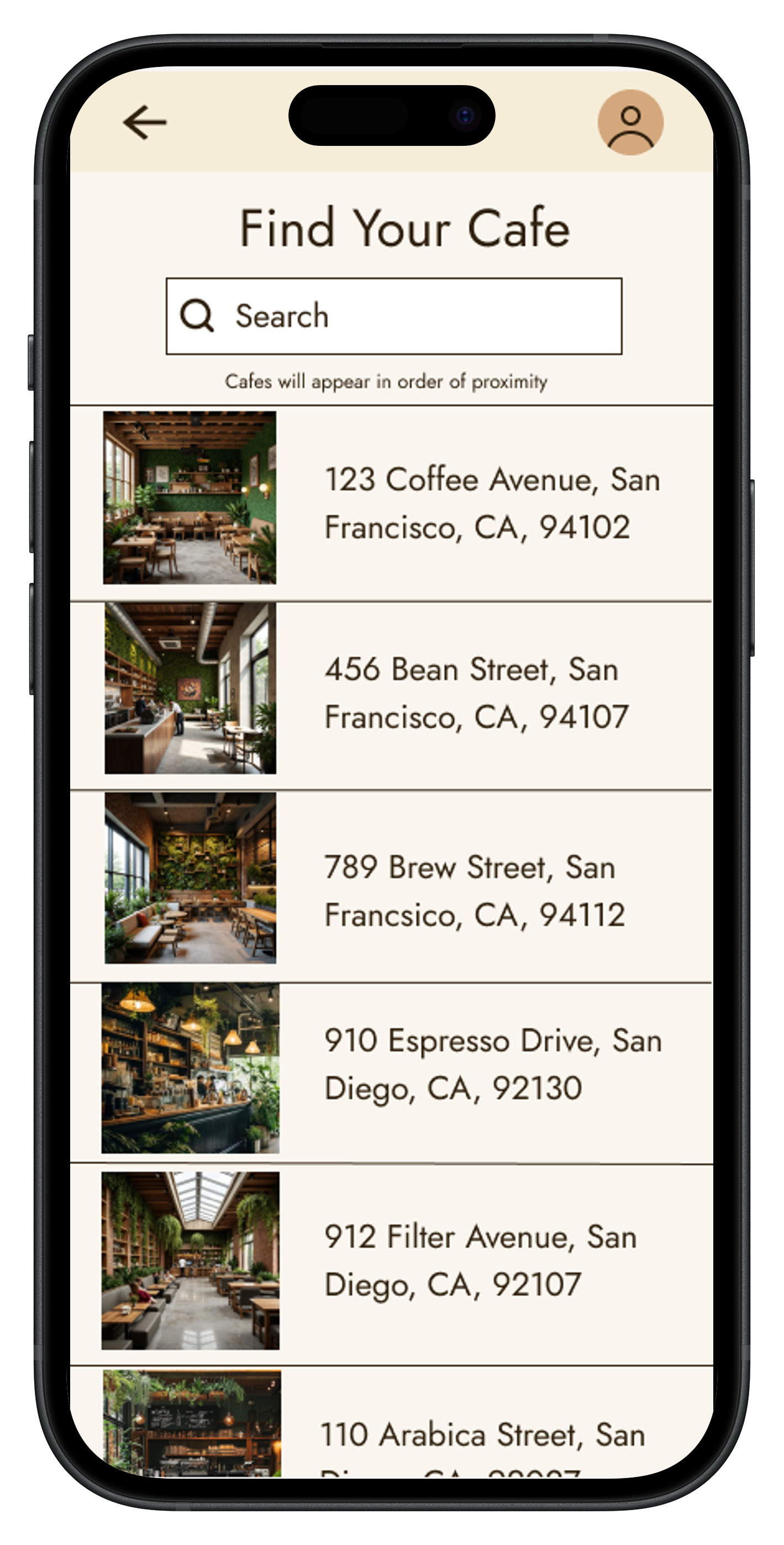
  • The store finder was redesigned to reduce cognitive guesswork and make proximity clearer, applying recognition over recall and preventing the need for user inference.
  • Add persistent back navigation for clearer return paths and user freedom, allowing users to easily recover from mistakes.

Lo-Fi Wireframe

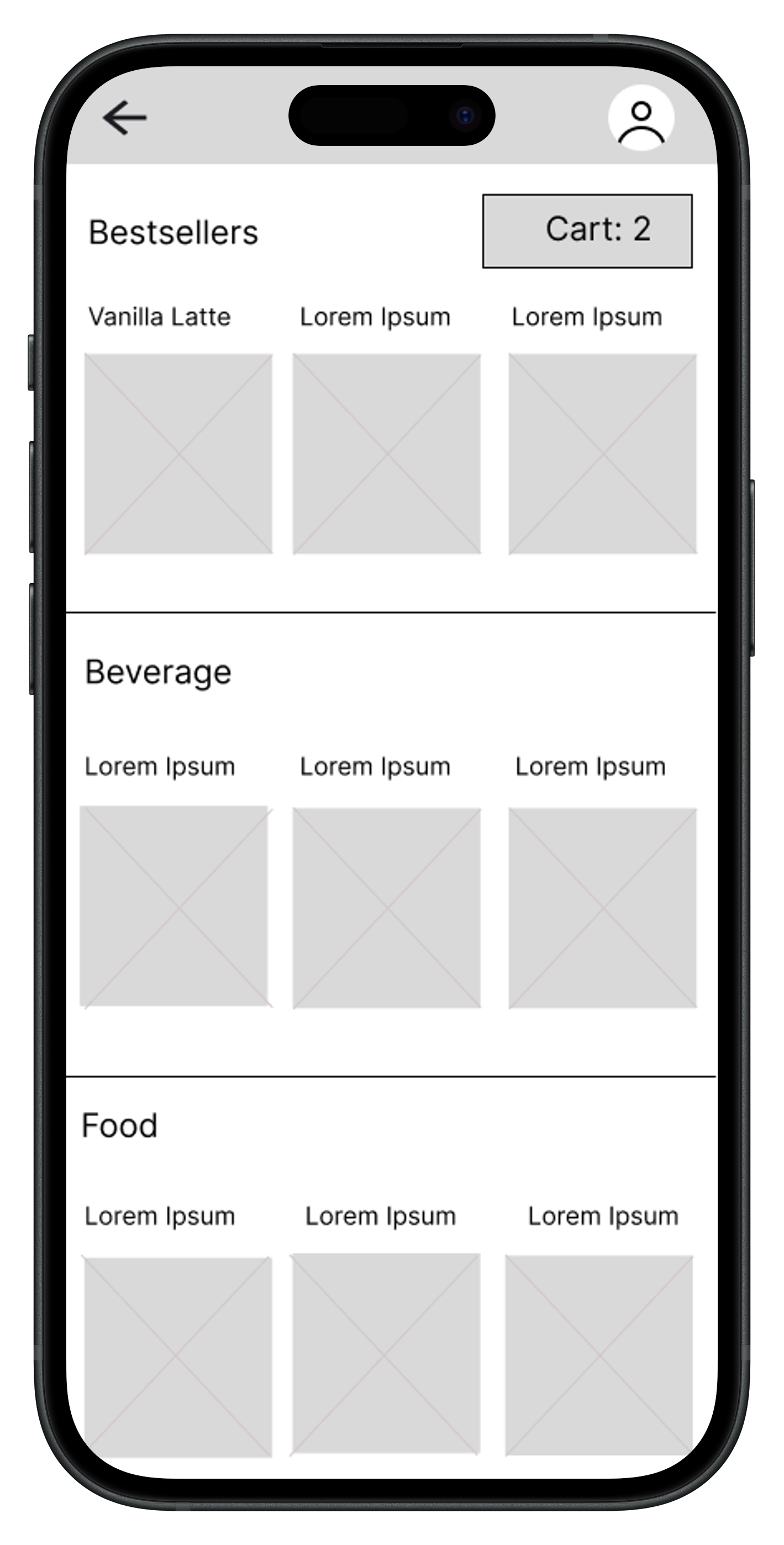
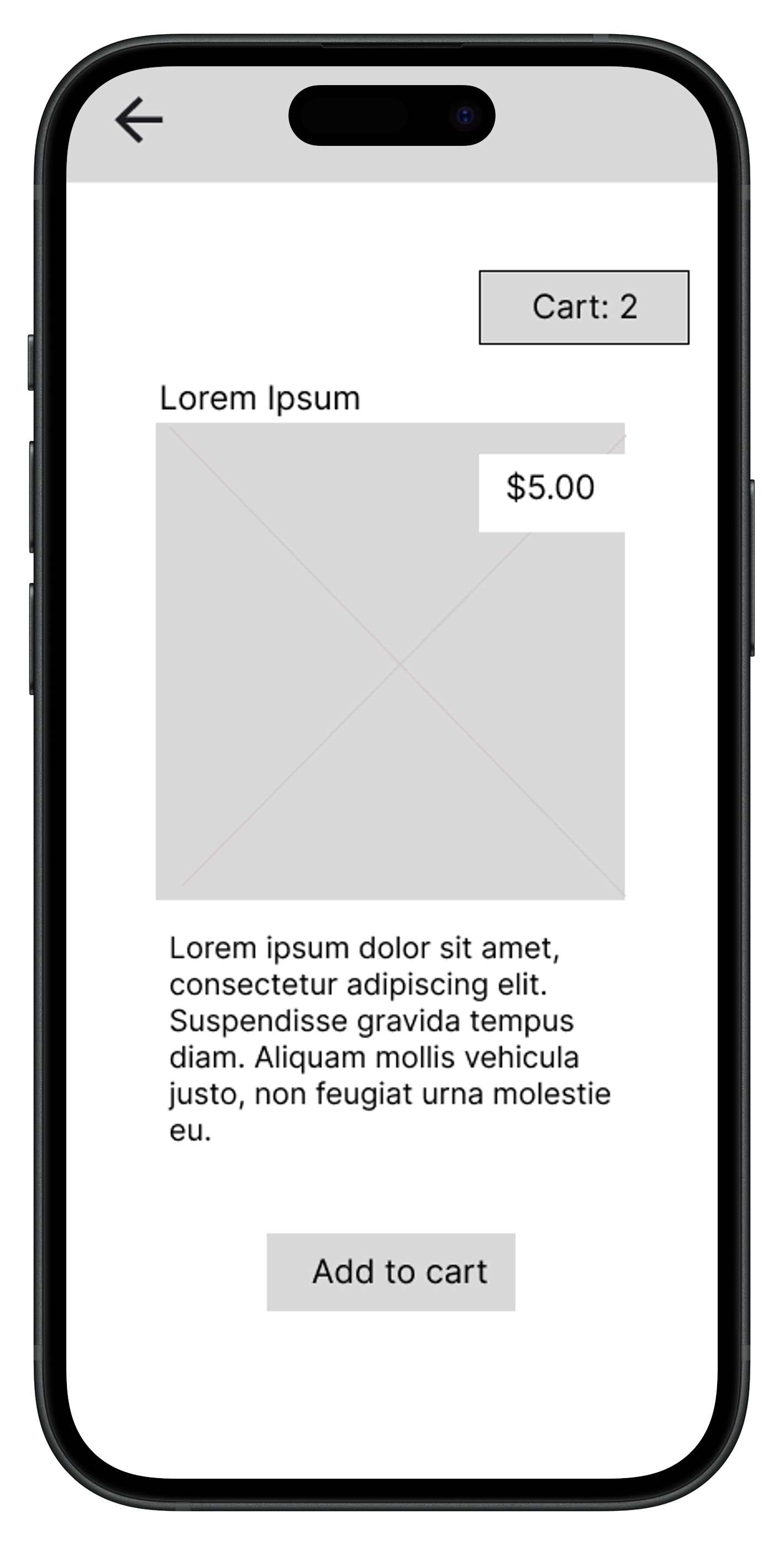
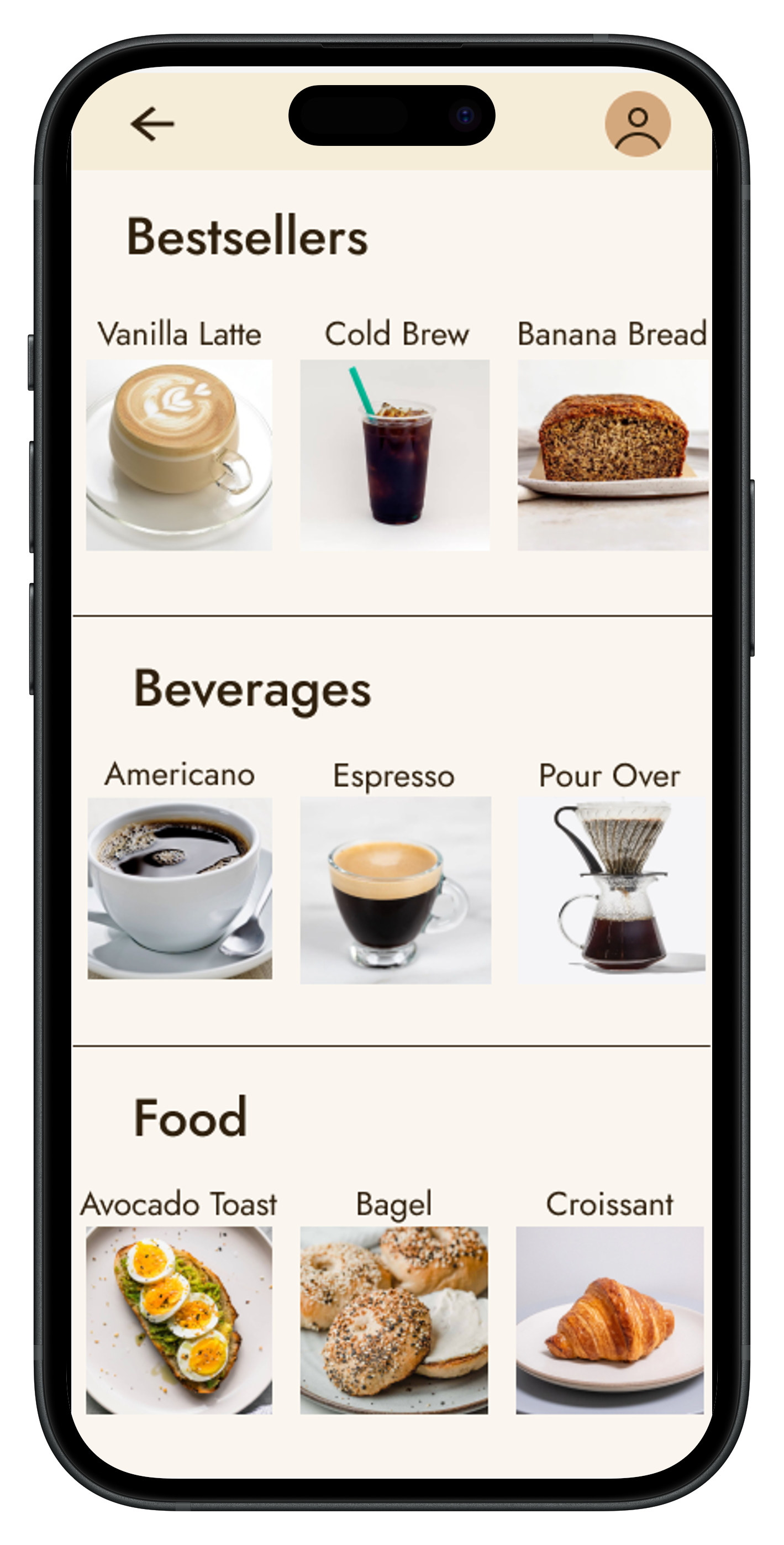
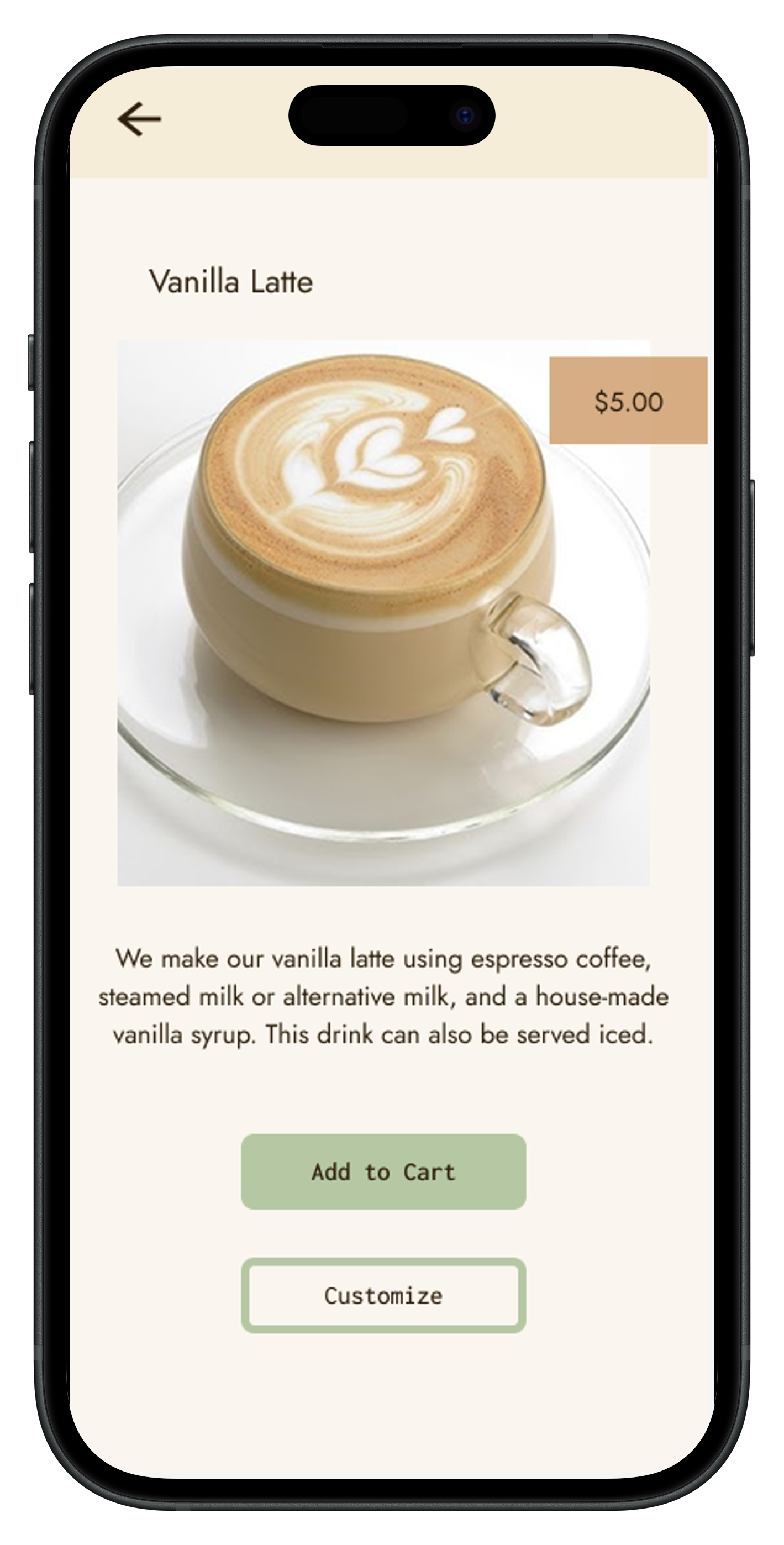
Mobile app screen for The Java Joint showing a cozy coffee shop interior with wooden stools and green plants, and buttons for Log In, Sign Up, and Guest Checkout.Mobile app screen titled 'Find Your Cafe' displaying a search bar and a list of cafes with images and addresses in San Francisco and San Diego.Mobile app screen showing coffee shop menu with sections Bestsellers, Beverages, and Food featuring vanilla latte, cold brew, banana bread, americano, espresso, pour over coffee, avocado toast with eggs, bagels with cream cheese, and a croissant.Vanilla latte in a clear glass cup on a matching saucer with latte art on top, priced at $5.00.

Hi-Fi Prototype

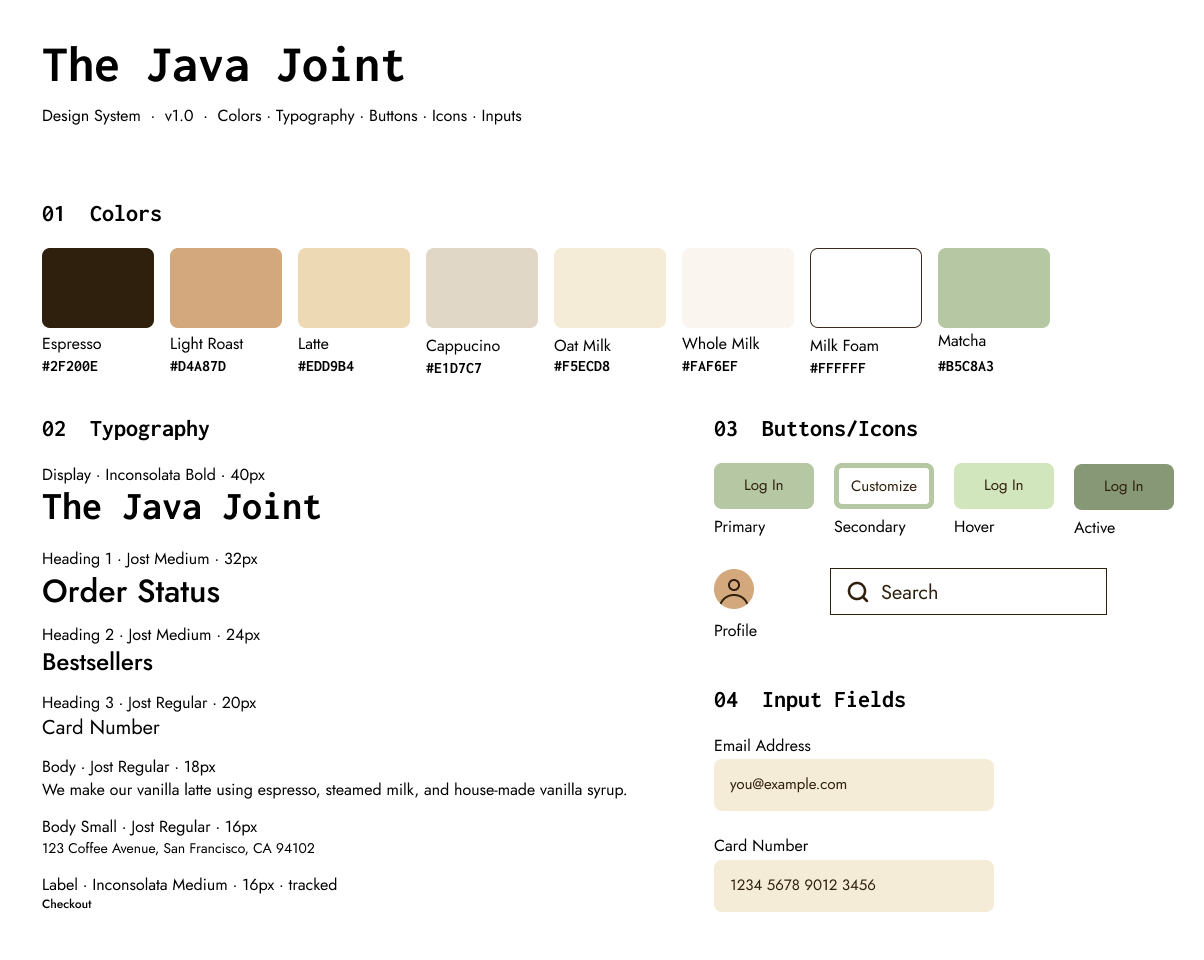
The Java Joint design system showing colors Espresso to Matcha with hex codes, typography styles from 40px to 16px, button states including Primary and Secondary, a profile icon, a search input, and input fields for email and card number.
Mobile app screen for The Java Joint showing a cozy coffee shop interior with wooden stools and green plants, and buttons for Log In, Sign Up, and Guest Checkout.Mobile app screen titled 'Find Your Cafe' displaying a search bar and a list of cafes with images and addresses in San Francisco and San Diego.Mobile app screen showing coffee shop menu with sections Bestsellers, Beverages, and Food featuring vanilla latte, cold brew, banana bread, americano, espresso, pour over coffee, avocado toast with eggs, bagels with cream cheese, and a croissant.Vanilla latte in a clear glass cup on a matching saucer with latte art on top, priced at $5.00.

Final Product

The final app layout was designed to reflect usability principles. It establishes clear entry points on the welcome screen, persistent back navigation, and an easy to navigate menu that applies the aspects of the competitor's product that users enjoyed.

Conclusions

Evaluating the Blue Bottle app as a benchmark demonstrated that even well designed, minimal products have room for improvement, and that users respond most strongly to clear organization, simple typography, and frictionless navigation between screens. The final Java Joint prototypes reflect those findings directly: guest checkout, a logical ordering flow, and visual warmth that mirrors the brand. If given more time, I would have built out the cafe locator map feature, conducted a full usability evaluation on the Java Joint prototype itself with a new participant sample, and made further design iterations based on that data. This project reinforced that research findings only create value when they translate directly into specific, testable design decisions.

Resturn to Case Studies
Back to Top